AI Automation Services
Our AI Automation Services
AI Automation Consulting
Reviewing existing workflows, identifying tasks that can be automated, and planning the technical approach in line with your business needs.
Business Process Automation
Automating repetitive operations such as request handling, data entry, document reviews and updates between systems.
AI Workflow Development
Building automated workflows that combine AI models, APIs, business rules and existing software to complete multi-step processes.
Intelligent Document Processing
Extracting and structuring information from invoices, receipts, contracts and the like using OCR and AI.
AI Data Processing & Automation
Using AI to classify, extract, validate and structure the information prior to moving it into a database or other application.
CRM & Sales Automation
Automating lead processing, contact updates, request classification, CRM data entry and sales follow-up prep.
AI Automation Integration
Connecting AI-powered workflows to CRMs, internal databases, accounting packages and all the other business systems via APIs and webhooks.
AI Automation Testing & Optimization
Checking workflow accuracy, deal with failed requests, improvinge the processing logic and update the automations as the business requirements change.
AI Automation Maintenance
Maintaining the integrations, updating the AI models and workflows and fixing any issues that arise in the existing automation systems.
Our Projects
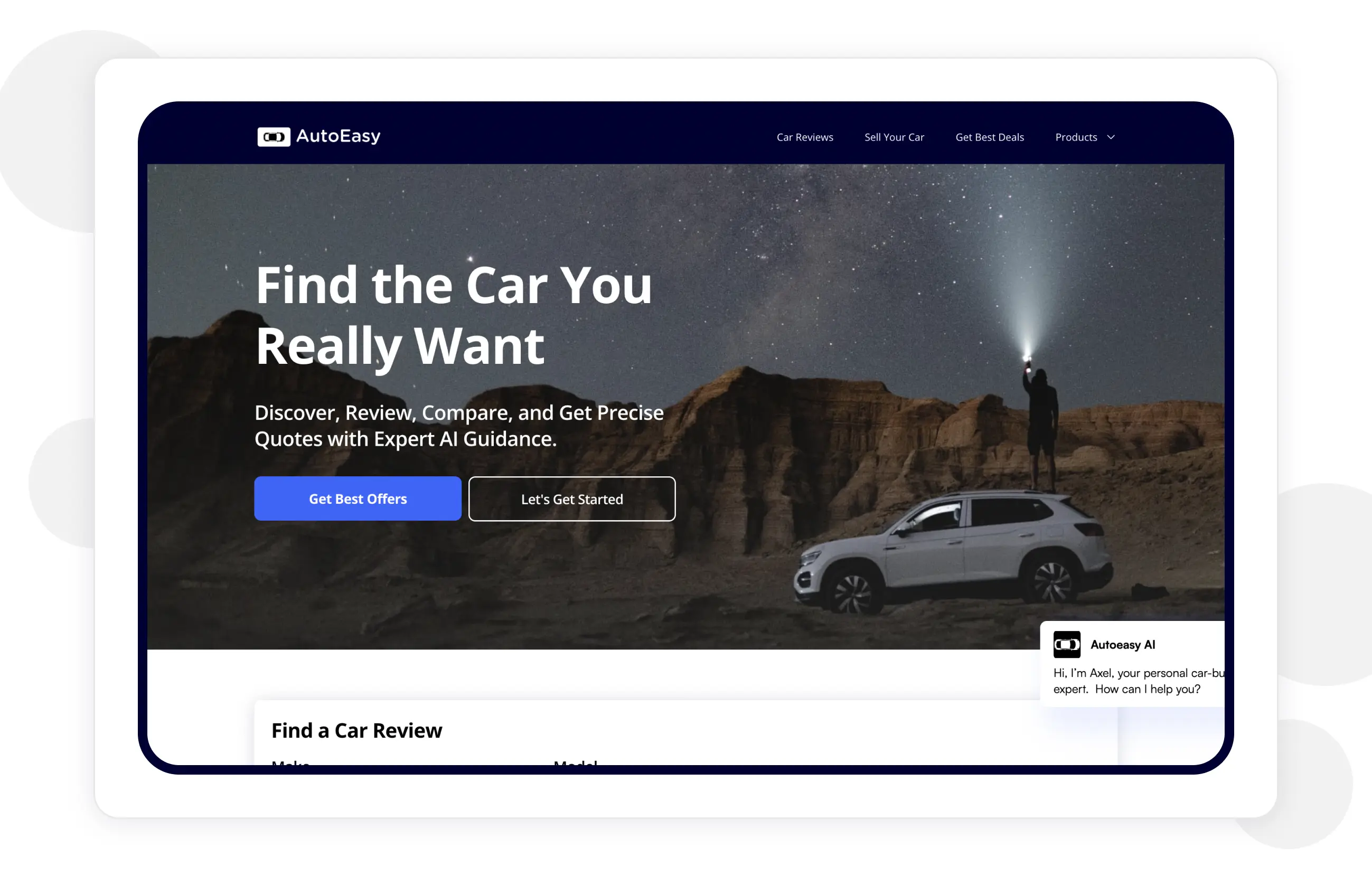
AI-Powered Car Shopping Website Development
An AI-powered platform that helps users find the best car deals through automatically generated reviews, comparisons, and rankings.
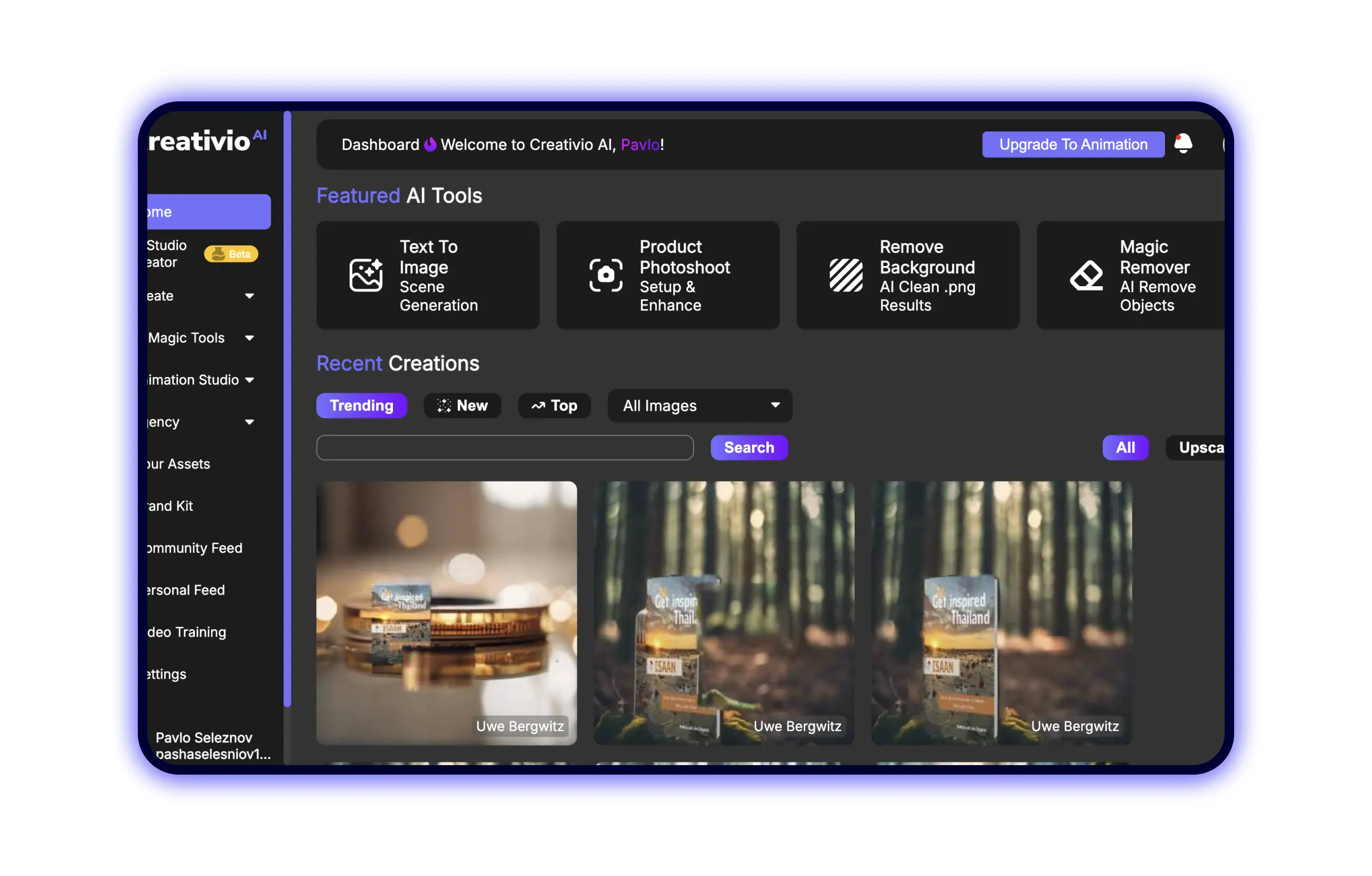
AI SaaS Development
A SaaS platform that uses AI to generate product photography, edit images, remove backgrounds, and improve visual quality.
Business Processes We Can Automate with AI
Document Processing & Data Entry
Extract information from invoices, receipts, application forms and contracts and feed it into the system. The staff can then go through the entries that require verification rather than processing every document individually.
Customer Support Workflows
Classify the incoming requests, pull the relevant customer info, formulate the response and assign the ticket to the correct team. If it's a request that needs a human touch then it can be passed to a support specialist.
Lead Management & Sales Operations
Process the leads, extract the contact details, update the CRM records and prepare the follow up. The automation can also be used to flag any missing information prior to a lead being assigned to a salesperson.
Reporting & Data Management
Gather data from the connected sources, format it consistently and produce reports or summaries. Scheduled workflows can be used to update records and to notify staff when new information is available.
Internal Administrative Tasks
Automate document routing, employee onboarding steps, approval requests and information updates between internal applications. Manual checks can still be retained for any decisions that require authorisation.
AI Automation Solutions for Different Industries
AI Automation for FinTech
AI automation helps financial teams process receipts, categorize transactions, prepare KYC/KYB documentation and generate reports. We do this by integrating the workflows into the existing financial systems, with the sensitive bits of the process still operating under our established security controls.
AI Automation for SaaS
We develop AI automation for customer requests, account updates, reporting and all the other repetitive tasks. We connect the workflows to the existing SaaS databases, APIs and user permissions.
AI Automation for E-commerce
AI can be used to automate product categorisation, catalog updates, processing of customer requests and the exchange of data between the online stores and the internal management systems.
AI Automation for Internal Business Operations
We integrate existing business tools to automate document handling, data entry, record updates and employee notifications thereby reducing the amount of routine admin.
Our AI Automation Development Process
1. Workflow Analysis
We look at the process you want to automate (the tools involved, the data being processed and the steps that are currently done manually).
2. Planning the Automation
Next we define the workflow, pick the AI services and plan the integrations. We also determine where automated processing is appropriate and where we need an employee to approve.
3. Development & Integration
Our engineers implement the workflow logic, wire up the relevant applications and configure the data processing. We test a variety of scenarios, including incomplete information and failed API calls.
4. Deployment & Maintenance
Once the automation has been tested it's introduced into the working environment. We can then continue to monitor its performance, fix any issues that arise and of course keep the workflow updated as the systems it's connected to or the business requirements change.
Why Choose Stubbs for AI Automation?

1
Experience with Complex Integrations
We've worked with payment systems, banking APIs, crypto services and identity verification providers. That experience has allowed us to effectively link our automation workflows to existing software.
2
Full-Stack Development Expertise
We work with React, Next.js, Node.js and TypeScript, covering the AI integrations, the backend and the applications that the automated workflows actually run in.
3
FinTech & SaaS Experience
We've built financial platforms, crypto exchanges, marketplaces and a number of SaaS products (some of which had very complex permissioning and transaction workflows).
4
100+ Projects Delivered
Since 2019 Stubbs have delivered over 100 software projects. The team comprises 20+ mid and senior level specialists.
5
Flexible Cooperation Models
You can outsource an AI automation project or you can hire developers to work with your existing team. We can provide project based development, staff augmentation or a dedicated team.
Frequently Asked Questions
1. What are AI automation services?
What are AI automation services?
AI automation services involve the use of AI to do the work that would otherwise be done by a human. That work can be the processing of documents, the classification of information, the updating of records and the connection of applications. The key difference to traditional automation is that AI can work with unstructured data as well as the more traditional, structured data. At Stubbs we build the workflow logic, we integrate the AI models and we then connect the automation to your existing software.
2. How much does AI automation cost?
How much does AI automation cost?
AI automation cost is a function of the number of workflows, the number of integrations required, the complexity of the data and the amount of custom development that's required. At Stubbs a fairly focused AI PoC will run at 3k-10k. More complex projects that involve multiple business systems, custom interfaces and complex processing will of course require an individual estimate. Model API usage, hosting and ongoing maintenance are all generally priced separately from the development.
3. How long does it take to implement AI automation?
How long does it take to implement AI automation?
A simple automation with one or two apps may take a couple of weeks. More complex workflows can take several months, especially if they involve a number of systems, unstructured documents and/or additional security. The time taken will also be dependent on the software that you're currently using and whether the relevant APIs are available. We'll go through the workflow and integration requirements prior to giving you a timescale.
4. What business processes can be automated using AI?
What business processes can be automated using AI?
AI can be used to automate a whole host of document processing, data entry, lead management, customer support requests, reporting and internal admin tasks. A simple example would be an AI which takes an incoming invoice, parses it to extract the relevant details, checks that all the required fields are present and then creates a record in an accounting system. You don't need AI for every single step of the process. For the fairly straightforward, rule-based tasks you're much better off with simple business rules and API integrations. AI is really only required where there is some degree of interpretation involved.
5. What is the difference between AI automation and traditional automation?
What is the difference between AI automation and traditional automation?
Traditional automation is rule based. So if a customer submits a form the system will create a CRM record and send a notification. AI automation can also be used to parse the content of the request, classify it and extract information prior to the next step in the process. The two are often used in conjunction with AI taking care of the variable inputs and the standard application logic dealing with the more predictable parts of the process.
6. What is the difference between AI automation and AI agents?
What is the difference between AI automation and AI agents?
AI automation focuses on automating a business process (typically via a series of well-defined steps). An AI agent can choose which tools to use and which of the permitted actions to take based on the task at hand and the information available. A simple example would be an invoice processing workflow which might involve a fixed sequence of extraction, validation and approval. The agent may need to make a decision as to which system it queries first. A great many business processes can be automated without the need for a dedicated AI agent.
7. Can AI automation work with our existing software?
Can AI automation work with our existing software?
Yes. AI workflows can be connected to your existing CRMs, databases, SaaS apps and internal systems via APIs, webhooks and the like. We'll look at the software in use to determine what actions and data are available. If the system in question doesn't have the functionality we need then some additional backend development may be required. The norm is that we're looking to work with the systems you already have rather than replace them.
8. Can you automate workflows using n8n, Make, or Zapier?
Can you automate workflows using n8n, Make, or Zapier?
Tools like n8n, Make and Zapier can be perfectly adequate for workflows that are essentially just SaaS integrations and fairly simple business logic. More complex workflows will often require a custom backend service, particularly if they're dealing with sensitive data, complex permissions or large volumes of data. We'll look at the requirements and determine whether a platform based solution or a custom solution is the right one. The implementation stack is agreed upon prior to development commencing.
9. Do we need to train a custom AI model for automation?
Do we need to train a custom AI model for automation?
Typically not. A whole host of automation tasks can be accomplished using existing AI models via API. Document extraction, text classification, summarisation and request processing are all tasks that can be implemented without the need to train a new model at all. The bulk of the development effort is in connecting the model to your systems and defining how you want the output to be handled. Only when you find that the available models simply won't meet the required level of accuracy or functionality do you start to consider custom training.
10. How do you handle errors in automated workflows?
How do you handle errors in automated workflows?
We test workflows with incorrect inputs, missing information and failures in the connected services. Depending on the process in question the system will either re-try the request, log the error, alert an employee or simply pause until someone has had a chance to look at the issue. We also have validation rules in place to validate the AI output prior to it being passed on to other applications. Critical business processes should not be reliant on the AI response being correct every time.
11. Is AI automation secure for financial and business data?
Is AI automation secure for financial and business data?
Security is all about how the workflow accesses, processes and stores information. We have authentication, access controls, secure API communication and restrictions around what data can be shared with AI providers. For FinTech projects we'll have additional requirements around GDPR, KYC/AML, PCI DSS and ISO 27001 or SOC 2 controls where relevant. Sensitive operations will require approval prior to any automated changes being applied.
12. How can we measure the results of AI automation?
How can we measure the results of AI automation?
The results should be benchmarked against the original process. Appropriate metrics to use would be processing time, number of tasks processed automatically, error rates, number of manual corrections required and the cost of running the process. Take the example of an invoice processing automation which could be measured by the number of invoices processed correctly without any manual data entry. Those metrics will tell you where the process is failing and whether it's worth the investment.
13. Can we automate only part of a business process?
Can we automate only part of a business process?
Yes, full automation isn't always the way to go. You could start off by automating just one of the repetitive tasks, for instance extracting data from documents or routing/ categorising the incoming requests. The people would still be in control of the decisions and approvals. That also makes it much easier to assess the outcomes before you go any further. You can then move on to automate further steps once you've got the first bit working.
14. Do you provide AI automation maintenance and support?
Do you provide AI automation maintenance and support?
Yes. We can maintain existing workflows, update integrations, fix processing errors, and modify automation logic as business requirements change. AI providers and connected applications may update their APIs, which can require adjustments after deployment. Support can also include reviewing model usage, processing costs, and output quality. We offer ongoing development support or work on specific improvements when needed.
We would love to help.
What are you interested in:
Name
Tell us about your project and goals
0/1000
Add your file
